 |
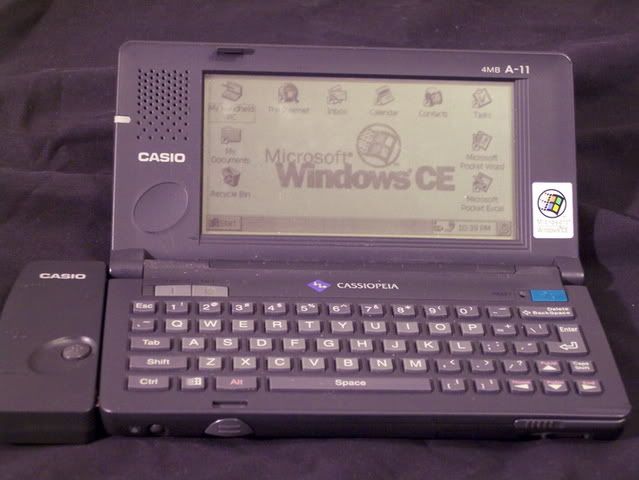
My very first Windows CE device was one of the very first on the
market. The Casio A-11 H/PC (or Handheld PC) was a first
generation device, running Windows CE 1.0 and sporting a Hitachi SH-3
CPU at 40MHz, 4 MB RAM (split between process memory and storage - a
feature common to all Windows CE devices until just recently), built-in
50% size keyboard, and a 480x240 LCD screen that displayed 2-bit
monochrome (Black, White, Light Grey and Dark Grey). It also had
a 16-bit PCMCIA slot for adding modems, network cards and flash storage
devices. I subsequently upgraded it to Windows CE 2.0, which was
a radical improvement over the original operating system, as well as
adding 2MB of memory. This device served me well for years. |
 |
But,
eventually it was time to move on. Since I had a large
collection of software for my Casio, I went looking for a replacement
that had a Hitachi CPU. Unfortunately, by this time, the H/PC
form factor had fallen out of favor. They were still available,
but rather difficult to find. So, I wound up making the leap in
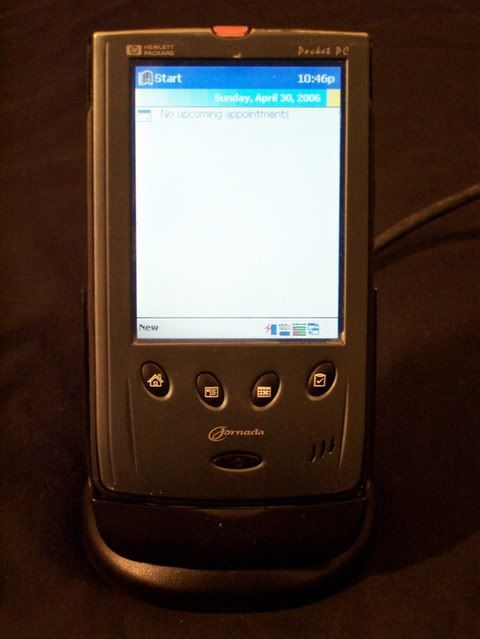
to the Pocket PC (or PPC) world. My first PPC was a Jornada 525,
followed a few months later by a Jornada 548. The Jornadas ran
the same Hitachi SH-3 CPU as my Casio, but at more than 3 times the
speed
(133MHz). They also had color displays (8-bit color on the 525
and 12-bit on the 548) at 240x320 resolution. No PCMCIA slot with
this small a device, but they do have a single Type I Compact Flash (or
CF) slot which is, for practical purposes, a physically smaller form of
PCMCIA card.
|
 |
The
lack of a
keyboard was disappointing at best, as not finding Grafitti input very
usable was one reason I never liked PalmOS devices.
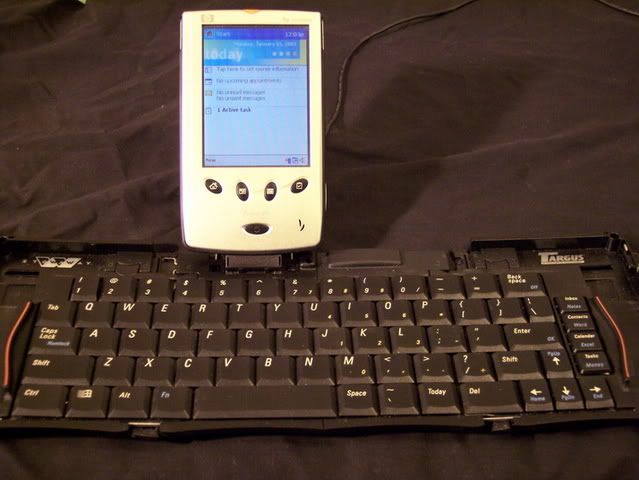
Fortunately, Targus made a folding keyboard (the 'Stowaway') for
the Jornada 520/540 line. This full-size keyboard folds up in to
a unit slightly larger and thicker than the PPC itself. Unfolded,
it has a built-in stand for the PPC, a power cord attachment, and a
full keyboard (less a separate numeric keypad) with additional function
keys for accessing PPC functions. This was definately a must-have
item for me, particularly since it's an electrical connection to the
PPC instead of an Infrared device.
|
 |
Eventually, the Jornadas began to act up a bit, and it was time to look
for a replacement. The SH-3 CPU fell off the face of the CE world
a few years ago, and pretty much all Windows CE devices ran on some
variant of the StrongARM architecture. A lack of hardware meant
that software for the SH-3 CPU (or NEC VR3000 and VR4000 series CPU's
for that matter) was getting harder and harder to find. So I
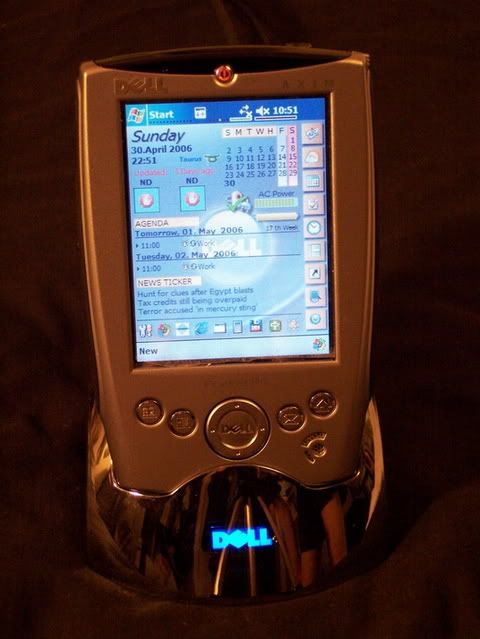
acquired my first ARM device a couple years ago. It was a
closeout bundle of the discontinued Dell Axim X5. A zippy Intel
PXA255 CPU at 400MHz, a hefty 64MB of RAM, 48MB of built-in flash ROM
(22MB available for user file storage), as well as two expansion slots (a Type II CF slot and an
SD memory card only slot) made it a very interesting upgrade to play
with. The larger (3.5" diagonal) 16-bit TFT screen was an added
bonus. The fact that the bundle included a folding keyboard,
similar to the Stowaway that I bought for my Jornadas, was the
clincher. I still carry the Axim with me regularly, and use it
for scheduling, keeping my budget, writing quick messages, and keeping
myself entertained while I wait for the subway train. |
 |
While
PPC's work well, those itty-bitty screens really bug me. I
missed the larger screen and built-in keyboard of the Casio. I
also missed the full size PCMCIA slot for using a network or WiFi card.
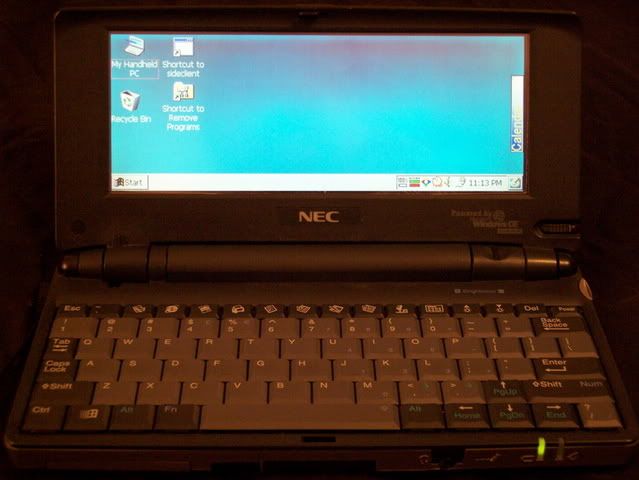
Consequently, about a year ago, I bought my first MIPS-based
device. An NEC MobilePro 780. With it's 90% size keyboard,
it's as comfortable to type on as any laptop I've used before.
The 640x240 color screen is big enough to be easy on the eyes.
32MB of memory was enough to store lots of files, and still have
memory for running software. It also has two expansion slots, one
PCMCIA and one Type II CF (takes thicker cards than Type I, like Micro
hard drives). On the downside, it is a CE 2.11
device, and based on a MIPS CPU, which makes getting software for it
difficult at best. HPC:Factor is the best site for information and software on these older devices. |
 |
Although
the HP Jornada 720/728 or NEC MobilePro 900 (with it's very
modern PXA255 CPU, same as in the Axim X5) look nice, I really
wanted something with a full size screen. Such devices exist, but
are notoriously difficult to find. The Jornada 820 and the
NEC MobilePro 880 both fit the bill, but cannot be bought for love nor
money these days. Plus, they run on non-ARM CPUs and older builds
of Windows CE. In an interesting twist, I stumbled across an
oddball device at Used Handhelds.
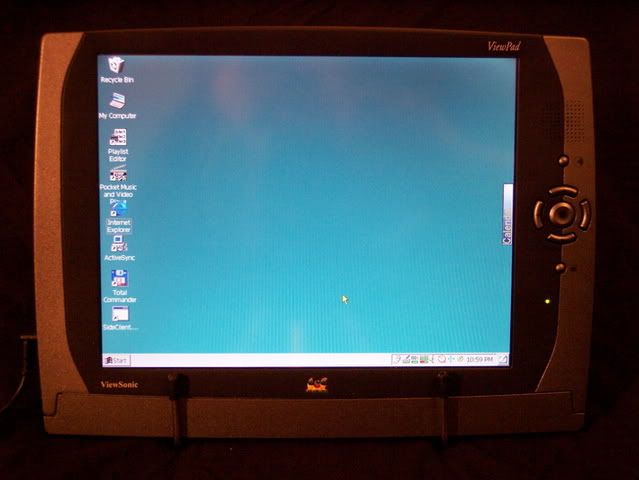
A device I had never seen or heard of before: a Viewsonic Viewpad
100. The specs were quite impressive. A StrongARM SA1110
CPU at 206MHz (same as a Jornada 720, and an ARM-based architecture),
10.4" diagonal screen at 800x600 (!) up to 32-bit color (!!), 128MB of
RAM (!!!), two expansion slots - one CF Type II and one PCMCIA, plus an
on-board USB host connector (!!!!!). A keyboard is not included,
but with a USB host, any USB keyboard will work as an input device.
The device includes an earlier build of Windows CE 3.0, which is
not the most recent but still widely supported as an OS. The
device is definately too large to fit in a pocket, but it fits nicely
(along with a keyboard and a small wire stand) in a backpack.
Again, while the Viewpad is not as powerful as a laptop, it does
all the things I would need a laptop for, cost 1/3 as much as the
cheapest laptop on the market, weighs a mere 2.5 pounds, and runs for
3 hours on a battery using my WiFi card, or over 5 hours without any
expansion cards other than a CF flash card.
|